
FTVClub Banking – Key Payment Instruments in India
FTVClub banking system was created and fine-tuned to make sure that Indian players can easily add money to their accounts and claim varied bonuses. With deposits starting from 200 INR, you can get access to a growing library of high-RTP games. Also, you can secure the welcoming bonus that doubles your first-time deposit up to a limit of 21,800 INR.

Deposit
To make the process simpler for Indian players, you first need to specify the sum you need to deposit. Then, you’ll be able to pick between two options.
| Depositing Instrument | Lower Limit | Upper Limit |
|---|---|---|

|
200 INR |
Not Specified |

|
200 INR |
Not Specified |
UPI
UPI (Unified Payments Interface) is the most-used FTVClub deposit tool. It makes instant bank transfers via mobile apps like Google Pay, PhonePe, or Paytm possible. Transactions are handled quickly, you don’t need to provide any extra banking info (just a UPI ID), and all dealings are protected by NPCI security procedures. It’s perfect for easy, fee-free payments, but there are downsides to this FTVClub banking method as well.

| Pros | Cons |
|---|---|
|
|
CoinsPaid (Cryptocurrency)
CoinsPaid is a crypto payment gateway for fast, low-cost FTVClub payments using 9 coins. The list includes well-known options such as Bitcoin (BTC), Ethereum (ETH), Tether (USDT), and Litecoin (LTC). There are also picks such as Bitcoin Cash (BCH), Dogecoin (DOGE), Tron (TRX), USD Coin (USD), and digital Thai Baht (THB). All FTVClub banking deals are handled on-chain, which guarantees security and openness with low fees (usually 0.5 to 1%).

| Pros | Cons |
|---|---|
|
|
How to Complete an FTVClub Deposit?
FTVClub banking is not challenging. Even newcomers will be able to figure out how to complete a payment on mobile or desktop. Here’s the process:
-
STEP 1
Reach FTVClub India on any platform.

-
STEP 2
Log in to an existing account or make a new one.

-
STEP 3
Click on the credit card icon in the top right corner.

-
STEP 4
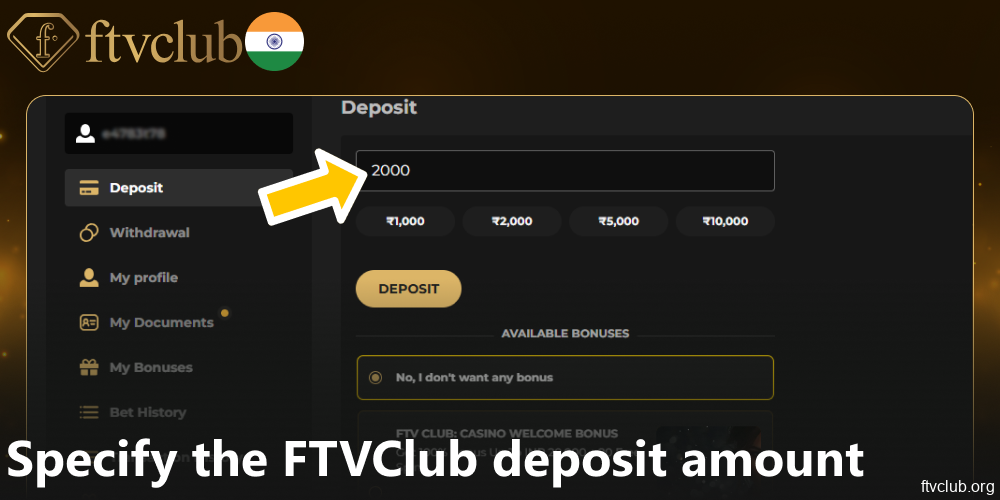
Choose one of the 4 preset values or type in the FTVClub deposit amount manually.
-
STEP 5
Pick a relevant bonus in the menu at the bottom.

-
STEP 6
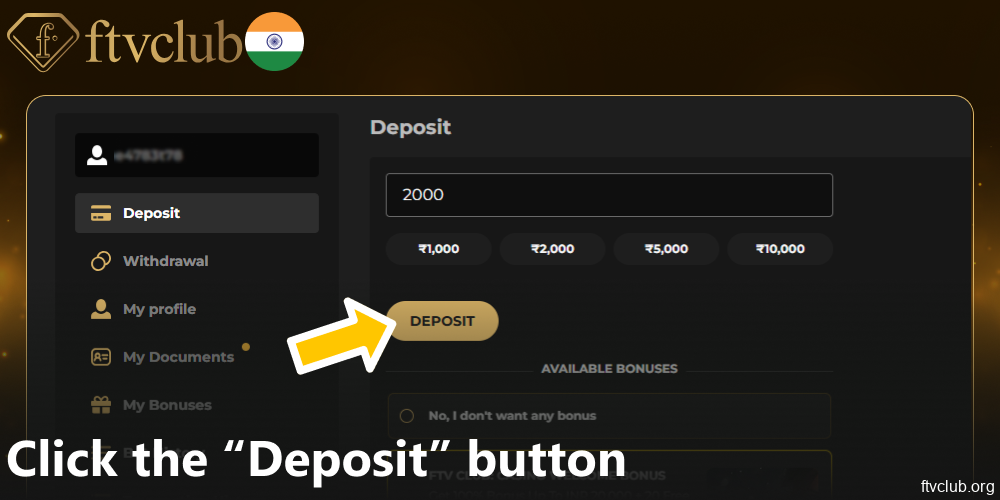
Use the “Deposit” button to be transferred to the next page.
-
STEP 7
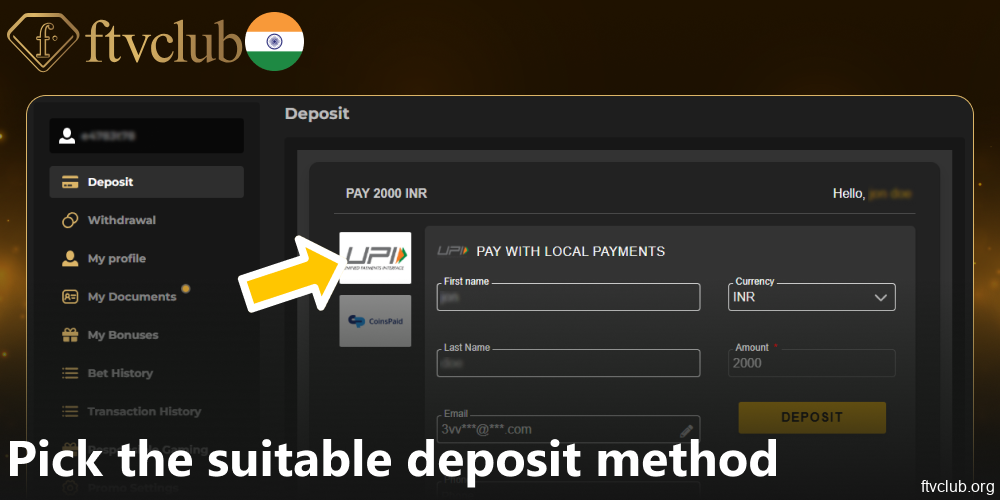
Make use of the left-side menu to pick the suitable deposit method.
-
STEP 8
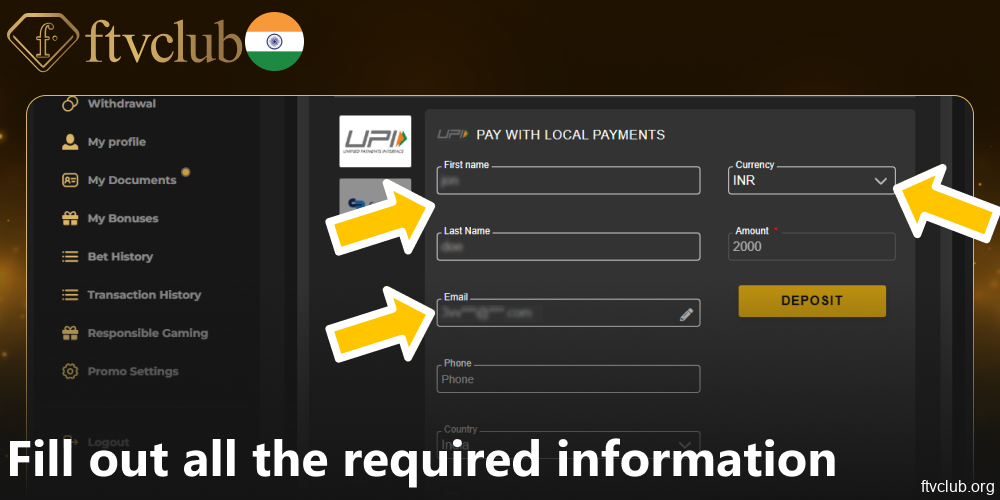
Fill out all the required information on the payment page.
-
STEP 9
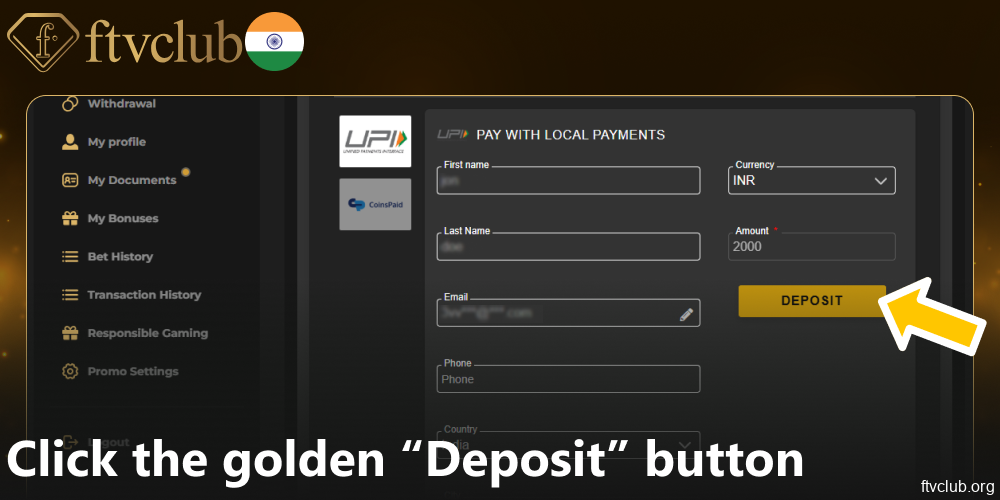
Click the golden “Deposit” button once again.
-
STEP 10
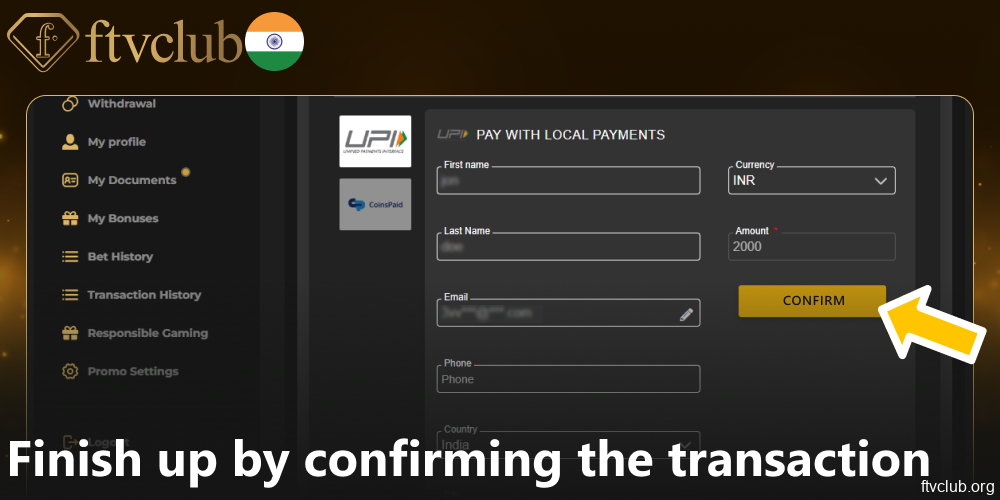
Finish up by confirming the transaction on a secure third-party platform.
-
STEP 11
Refresh FTVClub to see the funds show up on your balance.

Withdrawal Tools
FTVClub withdrawal system allows outgoing payments as low as 100 INR. You can use the same two payment tools as with deposits.
| Withdrawing Instrument | Lower Limit | Upper Limit |
|---|---|---|
|
|
100 INR |
Not Specified |
|
|
100 INR |
Not Specified |
How to Withdraw?
The withdrawal process is fairly straightforward as well. You must do the following to transfer your winnings to an outside account:
-
STEP 1
Visit FTVClub via browser or app.

-
STEP 2
Use your existing credentials to access your account.

-
STEP 3
Click on the profile icon in the top right corner.

-
STEP 4
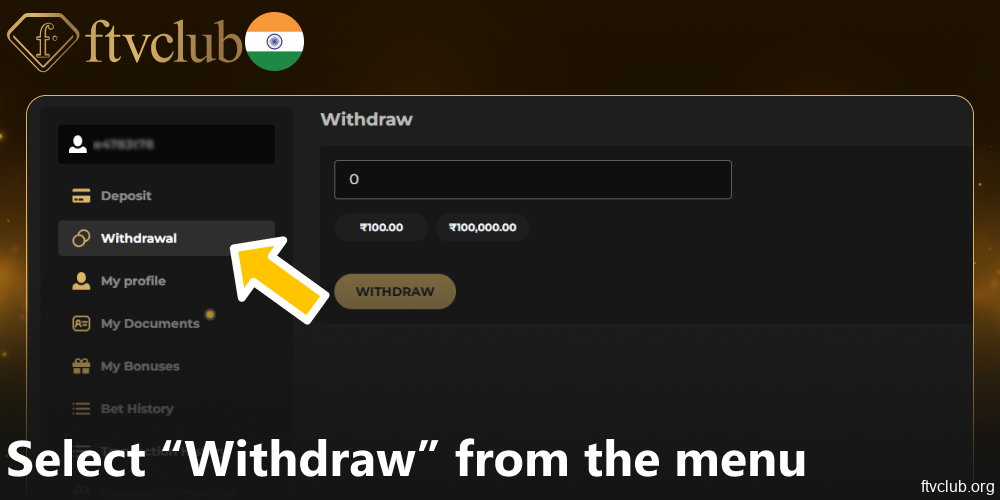
Select “Withdraw” from the left-side menu.
-
STEP 5
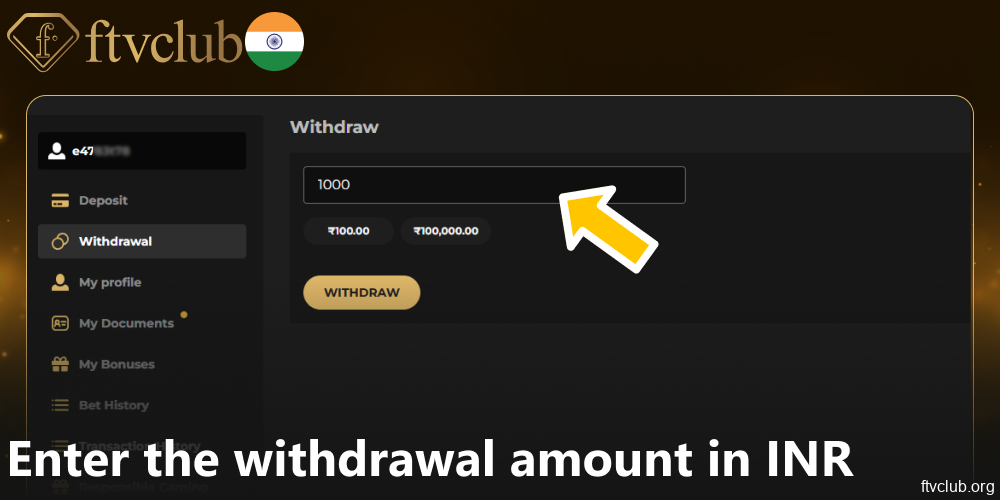
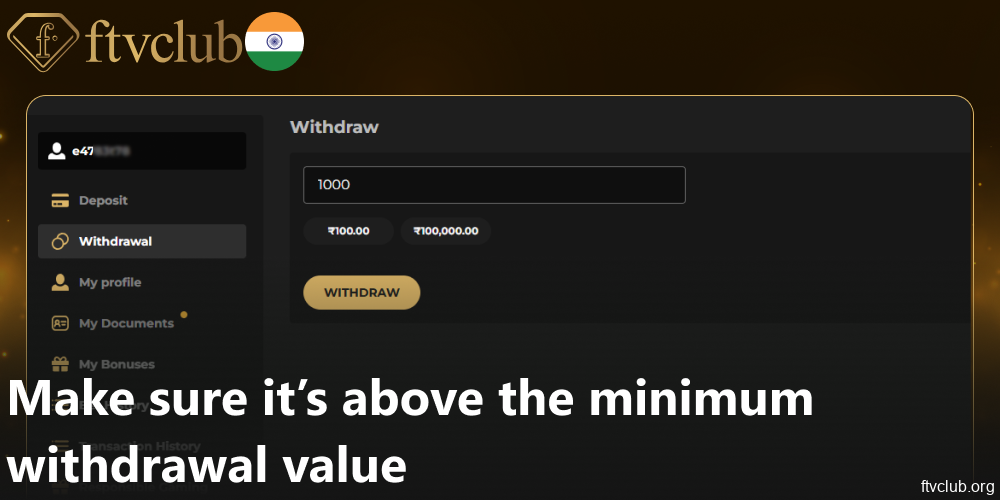
Choose a preset value or manually enter your amount in INR.
-
STEP 6
Check to make sure it’s above the FTVClub minimum withdrawal value (100 INR).
-
STEP 7
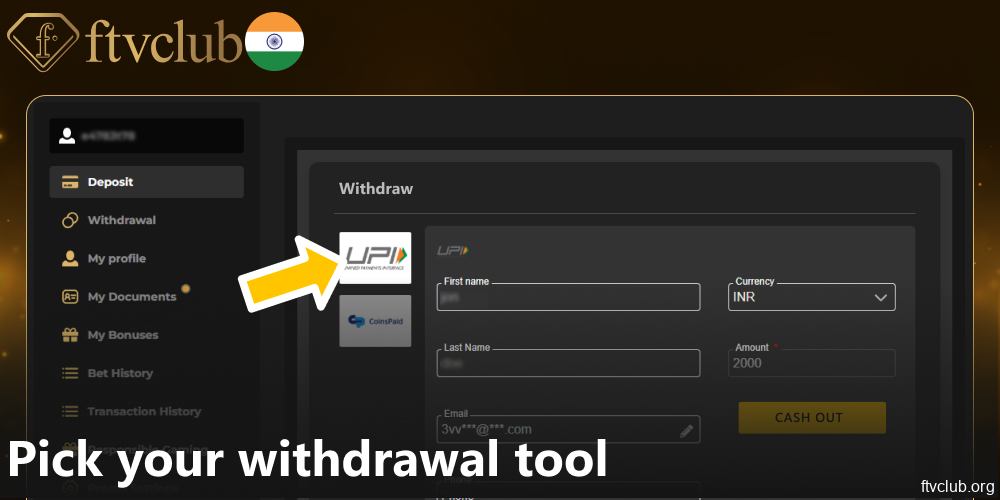
Pick your withdrawal tool – CoinsPaid or UPI.
-
STEP 8
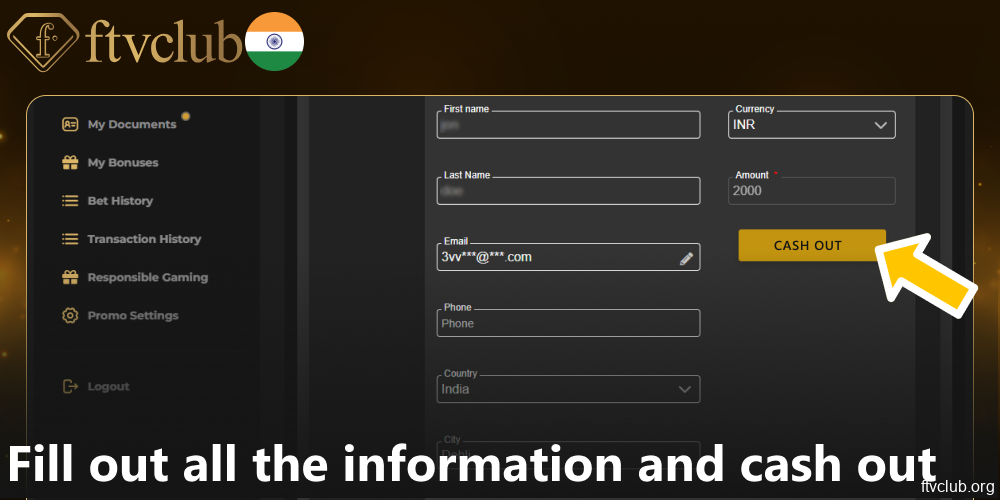
Fill out all the information and use the button to confirm your intention to cash out.
-
STEP 9
Complete 2FA/email/SMS confirmation if prompted.

-
STEP 10
Allow 24-48 hours for FTVClub withdrawal completion.

What is a Minimum Deposit?
A minimum deposit is the smallest amount of money a player must add to their casino account to start playing. The FTVClub minimum deposit value is 200 INR. It strikes a practical balance, allowing both an accessible entry point for most Indian users and helping cover any payment gateway fees (like UPI/NetBanking/Paytm processing costs). The limit is important because it:
- Determines how easily players can try the casino, especially those on tight budgets;
- Helps players control their spending;
- Helps the casino keep the processing fees low (all transactions must be economically viable).

What Types of Currency Are Available?
During registration, you can pick from 8 currencies. After you sign up as an Indian user, you can select from 6 currencies for FTVClub banking, but you’ll most likely want to use the Indian rupee.
You can freely select won, yen, ringgit, and others while making FTVClub payments through UPI. The locked currencies are EUR and USD. These major global currencies are typically selectable during initial registration but become unavailable after signing up. This may happen due to Indian forex regulations (RBI guidelines), risk management, or simplified banking (INR or neighboring currencies only).Note that when you choose crypto as your FTVClub banking tool, you can pick THB and USD deposits. These use tokenized stablecoins (THB₮, USD₮), not direct fiat.

FAQ
Will there be new FTVClub banking methods added?
FTVClub India periodically evaluates and adds new payment options. The additions are based on popularity, security, and regulatory compliance in India. Check their payment section regularly or subscribe to notifications for announcements on new methods.
How to withdraw money from FTVClub on mobile?
When using the official FTVClub app or browser version, simply complete the same steps you would have completed on a desktop.
What is the typical FTVClub India withdrawal time?
Crypto cash-outs are typically processed within minutes to a few hours. UPI transfers, however, usually take 1-3 business days, depending on your bank’s processing times and whether KYC verification is complete.
Is it better to have more FTVClub banking instruments or fewer?
Having verified methods for both deposits and withdrawals is essential for functionality. Having more choices gives you more freedom, but offering only the necessary, trusted tools makes account security easier and lowers the chance of verification delays.