
FTVClub Registration: Step-by-step Instructions to Sign Up
FTVClub registration enables users to set up an active account and start using site features in a short time. To begin, a user fills in the required personal details, confirms contact information, and activates the profile. All actions are carried out online, with no need to visit an office or submit physical paperwork during the initial phase.
FTVClub new account allows access to betting, the game catalog, promotional offers, and transactions in INR. During setup, the site applies security rules for password strength, minimum age, and country of registration. Start registering now to claim a 100% welcome bonus of up to ₹8,700 for betting or ₹21,800 for gambling.

How to register at FTVClub Bookmaker
The FTVClub sign up can be done both from the desktop version of the official site and through the FTVClub mobile app. The consists of a series of steps that the user has to complete:
-
STEP 1
Go to the betting site. On the main page, select the ’Register’ button.

-
STEP 2
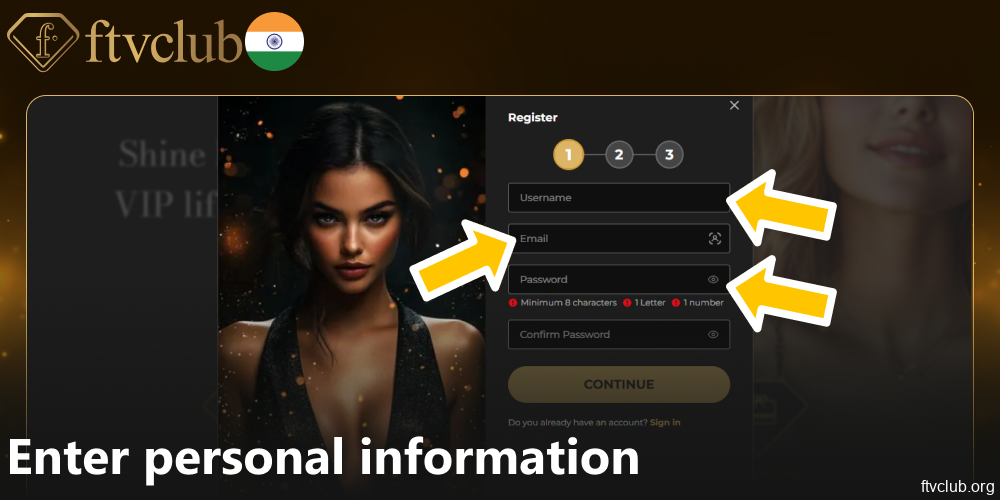
Enter personal information. Enter your username, email address and a strong password (at least 8 characters with 1 letter and 1 number).
-
STEP 3
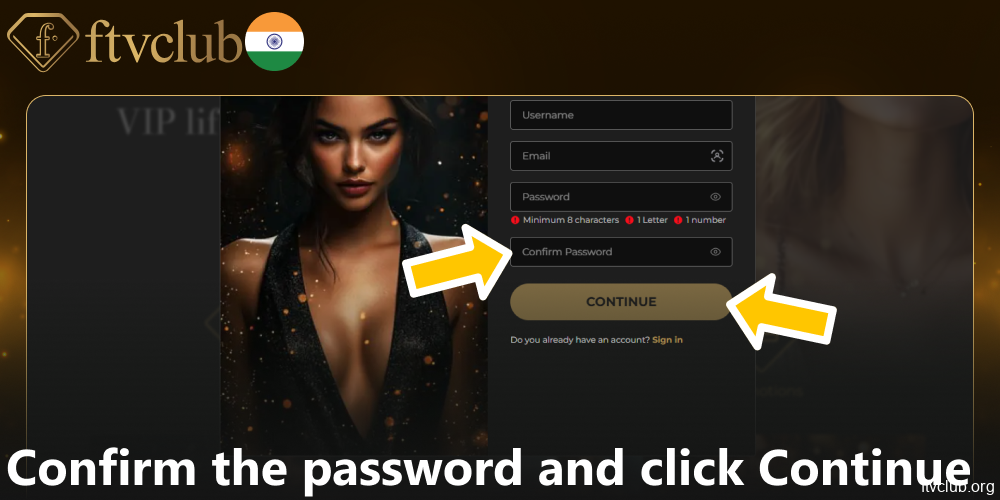
Confirm the password and click “Continue”.
-
STEP 4
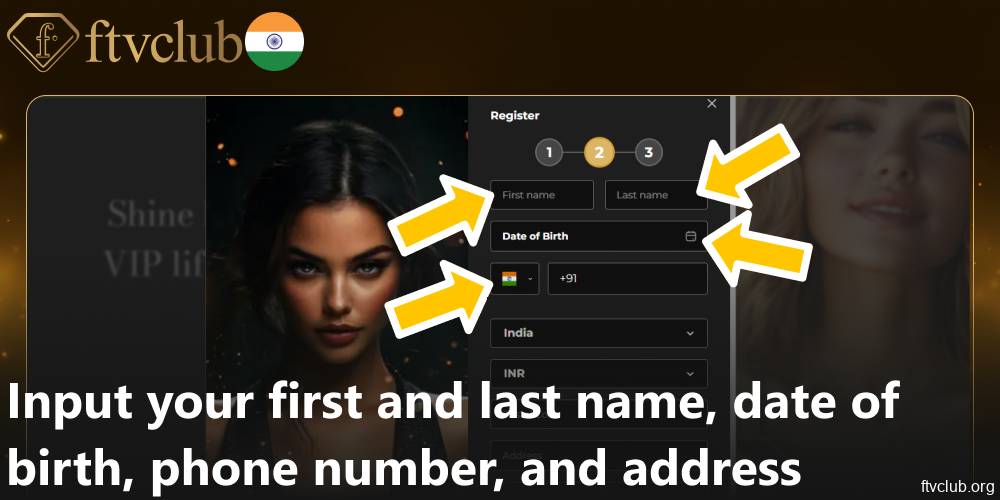
Input your first and last name, date of birth, phone number, and address.
-
STEP 5
Select a currency and country. For users from India, the default currency is INR. At this stage, you can also set your time zone and interface language.

-
STEP 6
Tick the box to confirm that you are 21 or older and agree to the bookmaker’s rules.

-
STEP 7
Click “Save”

-
STEP 8
Input the code sent to your email to confirm it.

All steps are performed online, and users can FTVClub register without downloading any additional software.
Requirements for creating an account in India
To create an FTVClub account, certain technical and regulatory standards should be met. These conditions are essential for enabling an account and accessing all functions. Main criteria include:
- Minimum age requirement of 21 years;
- Provision of valid identification, such as a passport or national ID card, in either digital copy or scan;
- Residence within India or another jurisdiction where FTVClub operates legally;
- Active contact details, including a working email address and mobile number;
- Access to a stable internet connection and a compatible web browser;
- For Indian users, the account’s primary currency is INR.
Fulfilling these conditions allows you to quickly create a new account and proceed to the next stages of verification. If any of the required elements are missing, the system may suspend activation or request additional information.
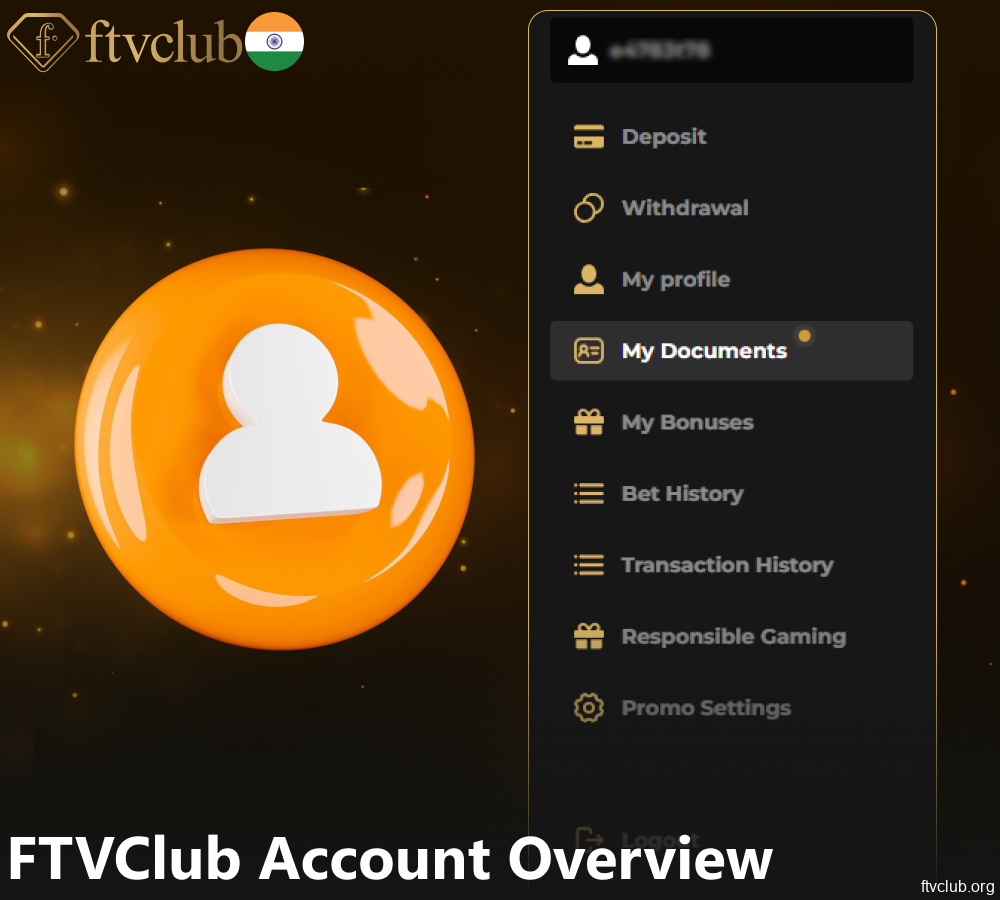
FTVClub Account Overview
Once the FTVClub registration process is complete, users receive access to the personal account, which serves as the main control panel for all site activities. From this tab, players can:
- Deposit funds in INR and other supported currencies;
- Withdraw winnings to available payment methods;
- Access the 1,350+ library of games, including slots, table games, and live dealer options;
- Claim and track 3 bonus offers, including welcome packages and reload promotions;
- View the transaction history for deposits, withdrawals, and bonus accruals;
- Adjust account settings, such as interface language, time zone, and preferred currency;
- Manage security parameters, including password updates and two-factor authentication;
- Contact customer support via live chat, email, or feedback form.
The personal account also includes a dedicated tab for promotional offers, where users can activate bonus codes and monitor wagering progress.
Account verification
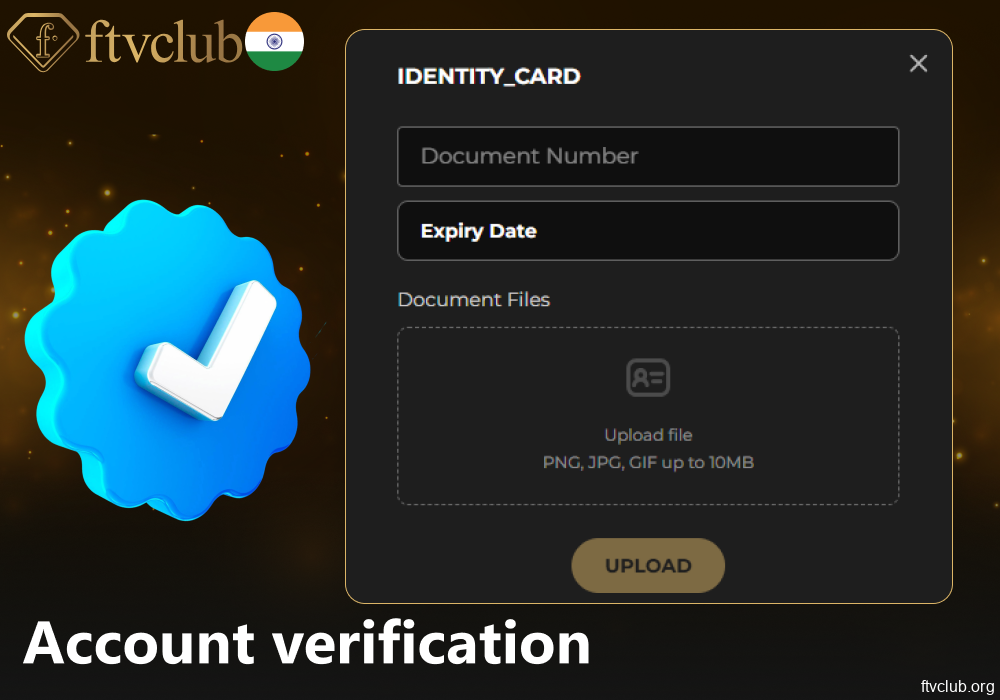
After creating a new account, users should complete a standard verification to confirm identity and ensure the security of transactions in INR. This involves uploading a scanned copy or photo of an official ID (passport, national ID card, or driver’s licence) and proof of address (utility bill, bank statement). In some cases, video verification or a selfie with a document may be required.
Verification helps confirm that the account belongs to a real person, prevents duplicate profiles, ensures compliance with site rules and legal regulations, and protects the user’s balance from unauthorized access. A verified FTVClub account online has full access to financial transactions, including deposits and withdrawals, and receives additional legal protection in case of disputes.
FAQ
How long does the FTVClub registration take?
Creating an FTVClub online account usually takes 3 to 5 minutes. It depends on the speed of data entry by the user and the time required to confirm the email address and phone number. If all documents for verification are uploaded on time, the account will be activated within one business day.
Is it possible to register an account without identity verification?
At the initial stage, FTVClub registration does not require immediate uploading of documents, but in order to perform financial transactions (deposits, withdrawals in INR), identity verification is required. This is a standard requirement of the site aimed at preventing fraud and complying with security rules.
What documents are suitable for account verification?
You can use your passport, national ID card, or driving license to verify your identity. Bank statements and utility bills with your full address are accepted as proof of address. All files are uploaded directly to your account via a secure connection.
Can I change my personal details after creating an account?
Yes, but basic details such as name and date of birth can only be changed through customer support after providing supporting documents. You can update your contact info (email, phone number) yourself in the settings of your new account. You can change your security settings, including your password, at any time.
What should I do if I can’t finish the registration?
If technical errors occur during registration, check the stability of your internet connection, the validity of your browser version, and the accuracy of the data you entered. If the problem persists, contact support via online chat or email, describe the situation and, if possible, attach screenshots of the errors.
Are there any additional requirements for users from India?
For users from India, the default account currency is INR. Other requirements correspond to the standard rules of the company. When signing up for FTVClub website, you must provide a valid Indian address and mobile number registered with a national mobile operator.